A key is a blunt instrument. It opens a door for anyone who holds it, with no record of when it was used, no ability to revoke it remotely, and no way to know which copy made the copy that got out. For a home with one or two residents, that’s usually fine. For a business with staff turnover, contractors, cleaners, and multiple access points, it creates a control problem that compounds over time.
Access control systems replace the key with something that can be managed: credentials that can be issued, revoked, and logged without touching a physical lock. Here’s how the main options work and what makes sense for different situations.
RFID Cards and Fobs: The Standard for Most Commercial Sites
RFID (Radio Frequency Identification) cards work the same way as the tap-to-pay function on your bank card — a chip in the card communicates with a reader at the door, which checks the card’s credentials and releases the lock if it’s authorised. Cards can be blocked instantly from the management software if an employee leaves, without touching the lock or issuing replacements to anyone else.
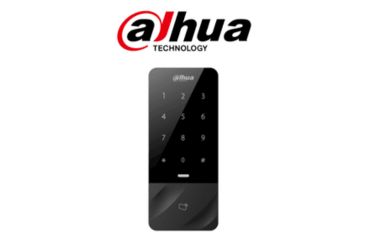
For most commercial applications — offices, warehouses, medical centres, retail back-of-house — RFID remains the most practical choice. Cards are inexpensive to produce, easy to replace, and the readers are durable and well-supported. The audit trail shows exactly which card accessed which door at what time, which is useful for both security investigations and compliance reporting.
PIN Codes: Good for Low-Traffic Doors and Secondary Access
A PIN pad is the simplest credential system and works well for doors that don’t see constant use — plant rooms, server rooms, after-hours access doors, or secondary entrances where you need to grant access without issuing a card. The obvious limitation is that PINs get shared, and there’s no individual audit trail — if three people know the PIN, you can’t tell which one used it. For that reason we generally recommend PIN pads as a secondary control rather than a primary access method for staff.
Mobile Credentials: Useful for Remote Access and Visitor Management
Some access control systems support smartphone-based credentials — the phone communicates with the reader via Bluetooth or NFC rather than a card. This is convenient for staff who prefer not to carry a separate card and it enables remote access management: you can grant a contractor access to a specific door for a specific two-hour window from the management app without being on site.
Mobile credentials work well in environments where access needs to be dynamic — facilities management, short-term tenancies, co-working spaces. They’re less well suited to high-security environments where personal device policies are strict, or to sites where staff may not have compatible smartphones.
Integration with Your Camera System
The most useful access control setups link entry events to camera footage. When a card is scanned at a door, the camera covering that door is flagged to record a clip associated with that access event. If you later need to verify who was in a particular area at a particular time, you can pull the access log and cross-reference it directly with the footage — rather than manually scrubbing through hours of recording.
We design access control and camera systems to integrate properly from the start, not as an afterthought. Getting the two systems to talk to each other is much easier when they’re planned and installed together than when you’re trying to retrofit integration later.
Talk to Us About Your Specific Site
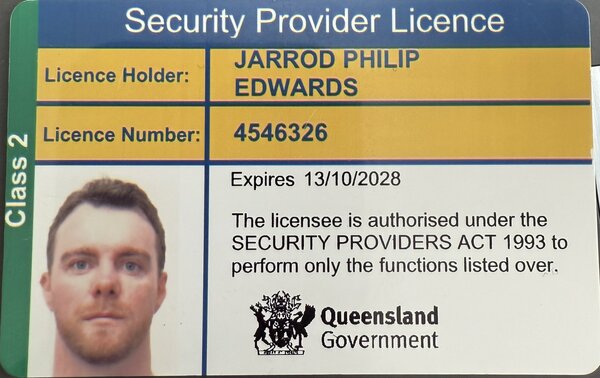
Access control requirements vary significantly between a 5-person professional office and a 50-person warehouse, and the right solution depends on how your site actually operates — not a generic recommendation. Jarrod provides free site assessments across Brisbane, the Gold Coast, and the Sunshine Coast. Call 0490 130 339 or get in touch through the contact form.